



Feed and play
Open the care panel from the menu bar icon. Pick a snack or a toy and your friend gets stuck in. Favourite foods get a bigger smile.
A tiny companion for your desktop
Hatch an egg, raise it through five life stages, and watch it stroll along your Dock and windows. Calm, private and never in your way.
macOS 13+ · Windows 10/11 · One-time purchase · No ads, no accounts, no network.

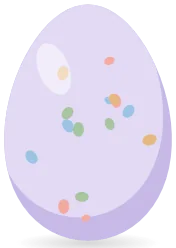


Meet the three species
Three little characters, each with its own way of doing things. Eight soft colours. Try them right here.

Calm and balanced
Species Stage Colour: Cream Favourite foods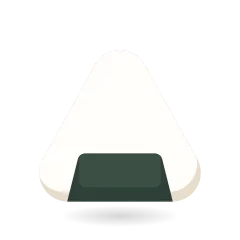 Rice ballStrawberry
How it works
Pick a species and a colour. Every egg is a little different.

Pet it and keep it company. When it is warm enough, it hatches.
Feed it, wash it, tidy up after it. It grows while you work.

Toys, mini-games, hats and furniture. Small cozy rituals.

Lives on your screen
Cozyling sits quietly above your desktop and moves around the things you already have open.
Life stages
Growth comes from the hours you spend together, and there is no going backwards. Your friend never dies and never regresses.
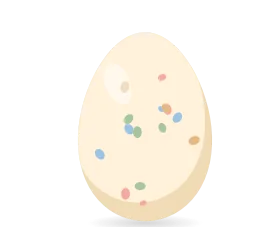




How you cared for your friend decides which grown-up it becomes.
 ClassicBalanced care.
 ChubbyLoved its snacks. Rounder, rosier.
 SproutLoved to play. A leaf tuft, extra springy.
 DreamyLoved naps and cuddles. A tiny star, sleepy eyes.
Care, cleanup and bath
Looking after a friend means a little housekeeping. We made it gentle, funny and quick, and never punishing.
Open the care panel from the menu bar icon. Pick a snack or a toy and your friend gets stuck in. Favourite foods get a bigger smile.


After a meal your friend strains, blushes, and leaves a tiny swirl. Click it and it goes pop and pays you a coin. Leave it and things get a bit smelly, with a fly or two. Never sick, never hurt.


Your cursor becomes a sponge. Scrub until it is all bubbles, then watch it shake dry with a shower of droplets. Calm and oddly satisfying.
Moods and mischief
Your friend naps when it is tired, sulks when it is cross, and sometimes gets a little naughty. There is a slider from Angel to Rascal, and a click always comforts.
 Happy
 Napping
 Snacking
 Yawning
 A bit sad
 Grumpy
 Tantrum
 Flopped
 Dizzy
 Sulking
 Dancing
 Sneezing
Wardrobe, rooms, toys and food
Spend the coins you earn on snacks, toys, hats and furniture. Your friend uses the furniture on its own: it sleeps in the bed, sits on the cushion and sniffs the plant.


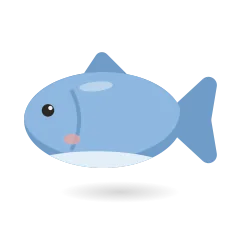

























Daily rewards and mini-games
A small gift each day, three gentle goals, and a surprise chest when you finish them. Coins come from play, so there is nothing to grind and nothing to miss.
 581012152030
Memory Pairs and Star Catch: two short, soft little games. Daily coin limits keep them a bonus, not a chore.
Private, tiny, yours
No account, no ads and no analytics. Everything your friend remembers stays on your computer.
The app has no network access at all, so nothing can leave your Mac. It works offline because it never goes online.
No analytics, no ads, no telemetry. This website does not use cookies or third-party scripts either.
No Accessibility, Screen Recording or Input Monitoring. It reads only public window positions and sizes, never titles or contents.
Full speed only while moving. Idle, asleep, hidden or behind a full-screen app, it uses almost nothing.
Read the full privacy policy.
Questions
No. Clicks pass straight through to the apps underneath. The only places that catch them are the pet's own painted pixels and the little things you can pick up, like toys and furniture. It never steals keyboard focus either.
Hardly any. Cozyling draws at full speed only while something is moving. When your friend is idle or asleep it slows right down, and it draws nothing while hidden or while a full-screen app is in front.
No. There is no Accessibility, Screen Recording or Input Monitoring request, and no pop-ups asking for access. To walk along your windows it reads only their public position and size, never their titles or what is inside them.
It is a one-time purchase from the Microsoft Store (Windows) or, soon, the Mac App Store. No subscription, no ads, no account, and nothing you have to keep paying to keep your friend.
macOS 13 or later: Ventura and newer, on Apple silicon and Intel Macs.
Yes. Cozyling for Windows 10 and 11 is out now in the Microsoft Store. The Mac version is out now in the Mac App Store.
Cozyling knows about every display you have connected, so your friend can live wherever your windows are.
By default your friend steps out of the way and stops drawing while a full-screen app is active. You can change that in Settings.
Any time. The menu bar icon lets you hide, pause or quit in one click. Launch at login is optional and off until you switch it on.
Nothing bad happens, ever. There is no death, no guilt and no game over. If its needs run low your friend just looks sleepy or a little sad, and a snack fixes everything.
Completely. The app has no network access, no analytics and no account. Everything it remembers stays on your Mac.
Something else? Visit support or write to cozyling.official@gmail.com.
News and events
New · 15 Nov
It's here. Your tiny friend can now live on your Mac too, strolling along the Dock and your windows. Same calm pet, still on Windows. Get it on the Mac App Store.
Out now
Cozyling is in the Microsoft Store for Windows 10 and 11. One-time purchase, no ads, no account. Get it from the Microsoft Store.
Event · 15 Dec – 6 Jan
A cosy winter corner with new items for your pet. It appears on its own on the dates, and nothing is ever missed.
Back next year
This year's spooky visitors have gone home. Costumes and decorations will switch on by themselves again next autumn.
More cosy updates are on the way. Follow along on Instagram, X or YouTube.



Cozyling is out now on the Mac App Store and in the Microsoft Store for Windows. One-time purchase, no subscription.